Webinar Summary: Product Update | See More Do, Do More
The Massive AI Upgrades Powering Strayos Summer 26
Webinar Replay:
Summary:
Over the last four months (April–July 2026), the Strayos engineering team shipped key high-impact features designed to fundamentally expand site intelligence. We covered major AI upgrades on Strayos platform
In this webinar, we covered:
Key Platform Upgrades
- Blast Checkpoints (Version Control): Test alternative hole layouts, explosive loads, and delay timings without losing your current shot plan. Save iterations and roll back instantly.
- Zone of Influence & Muckpile Prediction: Use a new visual overlay showing explosive energy and rock fracturing radiuses to spot overbreak or under-blasting. Features an experimental Muckpile Prediction module built on high-resolution particle physics and energy dynamics.
- Automated MWD Rock Hardness: Measure While Drilling (MWD) metrics automatically translate into actionable rock hardness profiles, revealing hard seams and voids across the bench before loading.
- Smarter Site AI:
- Stockpile AI: Polygon drawing is now automated.
- Haul Road AI: Automatically detects potholes, rutting, and spillage.
- Hydrosense: New "Area of Interest" tool isolates and analyzes water pooling in targeted zones without needing to process the entire site.
- Seamless Integrations: Import planned haul road centerlines directly from Deswik or Vulcan (via LandXML/DXF) to compare against drone topography. Export data directly to Google Drive or Dropbox, and trigger automatic project creation via DJI FlightHub.
Polls:
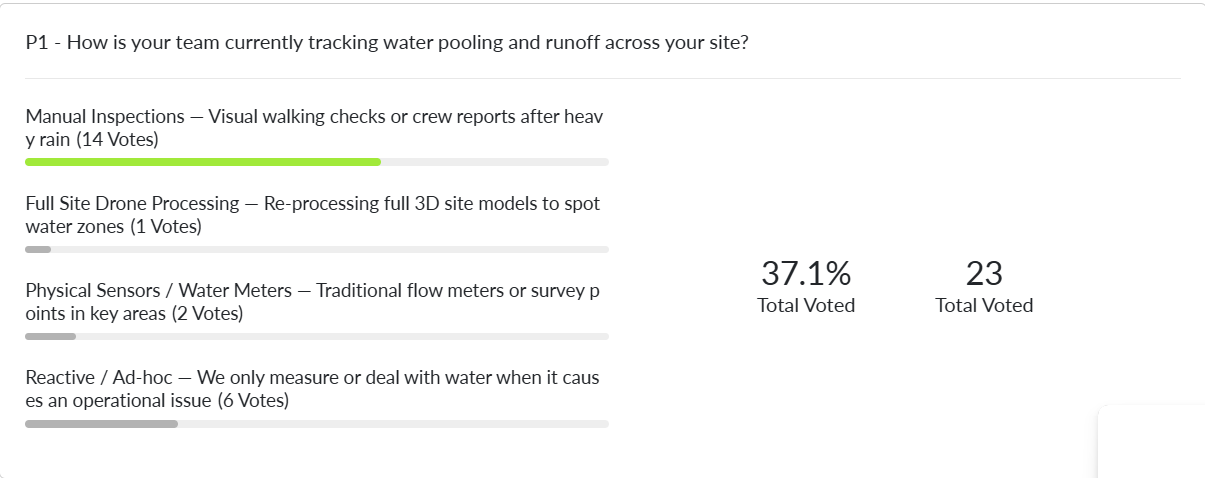
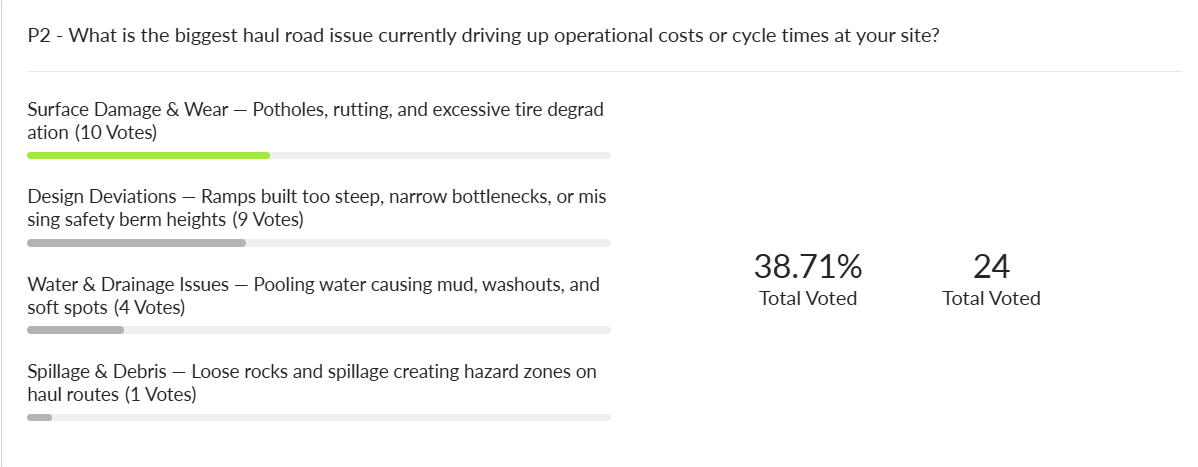
Q&A:
I’ve been having some difficulties when conducting drone flights over stockpiles. What would be the recommended drone altitude to ensure Strayos can accurately interpret stockpiles using its AI analysis?
For accurate stockpile photogrammetry and AI interpretation in Strayos, the recommended flight altitude is between 75 and 250 feet (23 to 76 meters) Above Ground Level.
Can we export a DXF contours of, say, regions with a specified rock hardness?
We provide a CSV export format and a report pdf for rock hardness.
How long does it take for a simulation to compute before you can see the animation?
Running a blast simulation through the ORBYM module typically takes between 20 to 30 minutes, depending on the overall size of the blast pattern. Keep in mind that the complexity of your data also influences this processing time pecifically, whether or not you choose to integrate a detailed block model alongside your standard blast parameters will directly impact how long the simulation takes to complete.
O-PitDev borehole tracker integrate with Strayos?
Yes and many more , we use the RHD file to import the boretrack data.
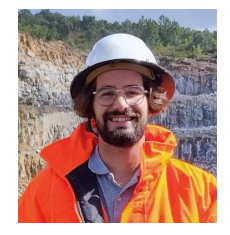
Presenter:
Moderator:

New technologies are rapidly changing the drilling, blasting, mining, and aggregates industries, empowering them in ways never before possible. Make sure you are taking advantage of the best tools available.
Check out our 2 Free E-books on AI applications for the drilling, blasting, and mining industries to see all the amazing advances that are available.
AI Guide for Drilling and Blasting
AI Guide for Mining
Watch our videos:
YouTube